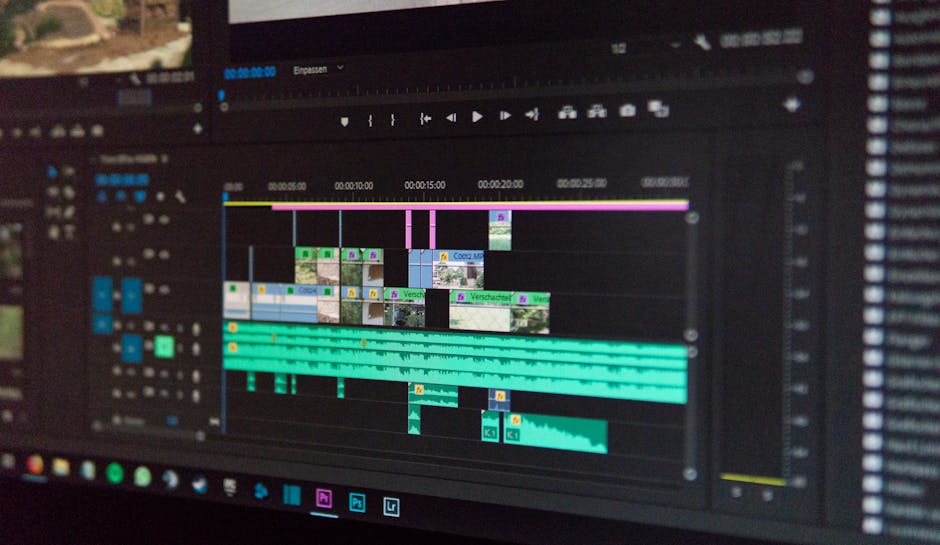
Ever felt like your editing backlog just grows, squeezing the life out of your creative spark? Or perhaps you spend hours on repetitive tasks, wishing there was a quicker way to get your vision onto the screen. Many of us creative types face this. The good news: a whole new wave of **AI video editing tools for creators** is changing the game, pulling back the curtain on complex production steps and putting the power of advanced computation in your hands.
These smart applications aren’t just fancy filters. They harness sophisticated machine learning models, learning from vast datasets to understand video content in ways we’re only beginning to explore. Think of them as intelligent co-pilots, taking on the grunt work so you can focus on storytelling.

This isn’t about replacing human editors. It’s about augmenting them, letting algorithms handle the tedious, time-consuming tasks. Imagine a tool that can instantly spot the best takes, remove distracting background noise, or even generate a rough cut based on your script. That’s the promise these tools deliver.
Unleashing Creative Power: AI Video Editing Tools for Creators
So, what exactly are we talking about when we say **AI video editing tools for creators**? At their core, these are applications integrated with artificial intelligence, designed to automate and enhance various stages of video production. We’re moving beyond simple automation; these systems actually “understand” elements within your footage.
This understanding comes from powerful neural networks trained on millions of videos, images, and audio files. They learn to recognize faces, objects, emotions, spoken words, and even stylistic patterns. The goal is to strip away the technical barriers, making high-quality video production more accessible and less time-intensive for everyone from seasoned YouTubers to burgeoning TikTok artists. It’s about making the entire process feel less like a chore and more like pure creative flow.
Why Every Creator is Eyeing AI in Their Workflow
Creators are constantly juggling ideas, filming, editing, and publishing. Time is always precious. That’s why AI-powered assistance in editing has caught so many eyes. It addresses real pain points directly.
Consider the consistent demand for content. YouTube channels, social media platforms, and online courses all need a steady stream of engaging video. Traditional editing can slow this down significantly. AI steps in to accelerate workflows, helping creators produce more, faster, without sacrificing quality.
Another draw: achieving professional results without needing years of experience with complex software. Smart tools democratize high-end post-production, offering features like advanced color correction, audio clean-up, and motion tracking that once required specialized skills. Creators can now achieve polished looks and sounds with a few clicks.
Under the Hood: Technical Deep Dives into AI Editing Features
Let’s pull back the curtain on some key AI features and the tech that makes them tick. These aren’t magic tricks; they’re the result of sophisticated computational vision and machine learning.
Automated B-Roll and Scene Selection
One common headache is sifting through hours of footage to find the best moments or relevant B-roll. AI can handle this. Algorithms analyze video frames, looking for specific criteria like:
- Facial Recognition: Identifying speakers, tracking their expressions.
- Object Detection: Pinpointing specific items or actions in a scene.
- Semantic Analysis: Understanding the context of a scene to suggest relevant cutaways or supporting footage.
- Action Recognition: Identifying key movements or gestures that signal a story point.
This uses convolutional neural networks (CNNs) to process visual data, learning what constitutes a “good shot” or a “relevant clip” based on user preferences and trained models.

Speech-to-Text and Generative Scripting
This is a game-changer for many. AI-driven speech-to-text (STT) converts spoken words into editable text transcripts. This uses deep learning models, often recurrent neural networks (RNNs) or transformer architectures, trained on massive audio datasets to accurately transcribe various accents and languages.
What’s next:
- Automated Subtitles: Generating captions with precise timing.
- Keyword Spotting: Finding specific phrases across long recordings.
- Filler Word Removal: Automatically cutting “ums” and “ahs” to tighten dialogue.
- Generative Scripting: Some tools can summarize conversations, generate social media captions from video content, or even suggest script improvements by analyzing tone and sentiment. This leverages Natural Language Processing (NLP) models.
Object Tracking and Visual Effects Automation
Manual rotoscoping and object tracking are incredibly tedious. AI streamlines these visually complex tasks. Here’s how:
- Semantic Segmentation: AI models identify and differentiate specific objects or people from the background with pixel-level precision. This creates precise masks automatically.
- Motion Tracking Algorithms: These algorithms follow the movement of chosen elements frame by frame, applying effects, text, or graphics that “stick” to the object.
- Background Removal/Replacement: Tools can intelligently isolate subjects from their backgrounds, enabling quick green screen effects without an actual green screen.
This relies on advanced computer vision techniques, often employing object detection models like YOLO (You Only Look Once) or Mask R-CNN.
Smart Color Grading and Audio Enhancement
Bringing a consistent, professional look and sound to your videos often takes an expert touch. AI can approximate this:
- Color Correction/Grading: AI analyzes the visual mood, lighting conditions, and content of each scene. It can then suggest LUTs (Look-Up Tables), adjust white balance, exposure, and saturation, or even apply a consistent “look” across an entire project based on a reference image.
- Noise Reduction: AI models are trained on vast datasets of clean and noisy audio. They can identify and filter out common sounds like hums, hisses, wind, or room reverb while preserving dialogue clarity.
- Audio Leveling/Mixing: Intelligent algorithms adjust audio levels across different clips, ensure consistent loudness, and even perform basic mixing of dialogue, music, and sound effects.
These functions use sophisticated signal processing combined with machine learning to identify patterns and apply corrective or enhancing adjustments.
“AI in video editing is like having an army of highly skilled assistants working tirelessly in the background. It doesn’t replace the director; it empowers them.”
Putting AI to Work: Real-World Creator Scenarios
How do creators actually use these sophisticated tools day-to-day? Here are some quick examples:
- Vloggers: Using AI to automatically remove long pauses, filler words, or awkward stutters, creating a much tighter, more engaging presentation without hours of manual scrubbing.
- Marketing Agencies: Quickly generating multiple aspect ratios of a single advertisement, automatically adjusting text and graphic placement for vertical TikToks and horizontal YouTube pre-rolls.
- Online Educators: Auto-transcribing lecture videos, then using AI to generate key summaries or interactive quiz questions directly from the video content.
- Documentary Filmmakers: Employing AI to sift through vast archives, identifying specific interviewees or thematic elements across hundreds of hours of footage.
These tools truly transform the practical side of content creation. Here’s a look at how they shift the typical editing workflow:
| Editing Task | Traditional Approach | AI-Assisted Approach |
|---|---|---|
| Initial Footage Review | Manual scrubbing, logging timecodes for good takes. | AI automatically highlights best takes, identifies key subjects, flags emotional moments. |
| Dialogue Cleanup | Manually cutting “ums,” “ahs,” breaths, and removing background noise. | AI automatically transcribes, removes filler words, and enhances voice clarity with one click. |
| B-Roll & Cutaways | Manually searching for relevant shots, syncing them. | AI suggests relevant B-roll from your library or even stock, auto-syncing to dialogue. |
| Color & Tone Consistency | Manual adjustments scene by scene, using scopes for accuracy. | AI analyzes overall project mood, applies consistent color grades, and suggests specific corrections. |
| Repurposing Content | Manually re-editing for different platforms (aspect ratios, length). | AI reformats content for various platforms, auto-adjusting framing, titles, and pacing. |

Looking Ahead: The Evolving Landscape of Smart Video
The speed at which these **AI video editing tools for creators** are advancing is truly something to watch. We’re on the cusp of even more profound shifts. Think about AI moving beyond assisting to actively participating in the creative process.
We could see more advanced generative AI that can create entire B-roll sequences from text prompts or even generate unique visual effects tailored to your specific video style. Future tools might offer predictive editing, anticipating your next cut or suggesting story arcs based on your raw footage. Real-time, collaborative AI editing where multiple creators and AI assistants work on a project simultaneously could become standard.
The focus will increasingly be on hyper-personalization and intelligent content adaptation. Your AI editor could learn your specific style preferences, automate more nuanced tasks, and even help with content distribution by suggesting optimal publishing times and platforms. It’s a future where the creative vision remains human-centric, but the execution becomes almost effortlessly intelligent.
Wrapping It Up: Your AI-Powered Creative Future
The world of video creation is changing, and AI is a huge part of that shift. These tools empower creators to spend less time on repetitive tasks and more time on actual creativity. They level the playing field, making sophisticated production techniques accessible to anyone with a story to tell. By understanding the technical underpinnings, creators can make better choices about the tools they adopt and push their artistic boundaries further. The goal isn’t just to edit faster, but to create better, bolder, and more personal content than ever before. Welcome to your AI-powered creative future.
### Hashtags
#AIVideoEditing #CreatorsTools #VideoTech #CreativeAI #FutureofVideo #EditingTools #MachineLearning #DeepDive #ContentCreation #SmartEditing #CreatorEconomy
Leave a Reply